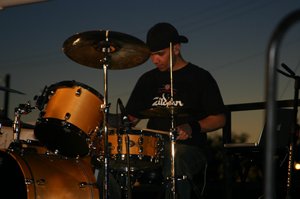
If you’re an aspiring drummer seeking more creativity, control, and flexibility in your practice, gigs, or home recording, mastering Ableton Live can take your drumming to a whole new level. Whether you play acoustic drums, e-kits, or just want to create drum parts from scratch, Ableton Live unlocks a world of musical opportunity. If you’re just starting out, see How to Play Drums for Beginners: Learn Easy Drum Basics for fundamental skills you can integrate with Ableton workflows.
- Blend live drumming and digital production for truly unique sounds and performances
- Use powerful features like real-time recording, effects, and looping to push your creativity
- Elevate your practice, performances, and compositions with tools the pros rely on
In this article, I’ll break down everything you need to know to start drumming with Ableton Live, from gear and setup through performance and practice tips, all from the perspective of a working drummer who’s been there. Let’s dive into how Ableton can become your secret weapon behind the kit or in the studio.
- Why Ableton Live for Drummers?
- Essential Gear for Ableton Drumming
- Getting Started: Initial Ableton Setup
- Smart Practice Tips Using Ableton
- Live Performance Essentials
- Workflow Secrets for Drummers
- Conclusion
- FAQs
Suggested Products to help you #win at drumming:
-
AKAI Professional MPD218
– This compact pad controller is a great way to trigger drum samples and loops in Ableton Live, perfect for hands-on creative drumming at home or on stage. -
Roland SPD-SX PRO Sampling Pad
– An industry-standard sampling pad ideal for integrating powerful custom sounds and samples into your live drumming Ableton setup. -
Native Instruments Komplete Kontrol S49 MK2
– A versatile MIDI keyboard that works seamlessly with Ableton, offering drummers a tactile way to control sounds, effects, and more. -
Focusrite Scarlett 2i2 (3rd Gen) USB Audio Interface
– This reliable audio interface makes it easy to connect your drum mics or electronic kit to your computer for recording or live performance in Ableton Live. -
Roland TM-2 Drum Trigger Module
– Add triggering capabilities to your acoustic drums for seamless hybrid setups—even on a simple kit.
Why Ableton Live for Drummers?
Many drummers still think of Ableton Live as a producer’s tool, but in reality, it’s become the backbone for countless live, studio, and hybrid drum setups. Ableton makes it simple to combine electronic sounds, effects, and samples with acoustic performance in ways that open new creative doors. For those eager to experiment, it’s one of the fastest ways to create custom loops, design unique drum tracks, and even run an entire live show with flawless consistency.
From my own years gigging and teaching, I’ve seen how Ableton bridges the gap between traditional drumming and cutting-edge music creation. With its clear interface and extensive MIDI mapping, even those new to music software will quickly find their groove. For ideas on daily skill-building routines to complement your electronic setup, check out Daily Drum Workout: Boost Speed & Control with Pro Drills.
Essential Gear for Ableton Drumming
Before you hit record or step on stage, you’ll need the right equipment to get the most out of Ableton. Here’s a helpful overview of the most common gear categories—plus some recommendations that make integration easy, even if you’re a beginner. If you’re interested in more gear options, see Top 7 Drum Recording Interface Picks for Studio-Quality Sound for reliable audio choices.
| Gear | Function | Examples from Affiliate Products |
|---|---|---|
| MIDI Pad Controller | Trigger samples, loops, drums from Ableton | AKAI Professional MPD218 |
| Sampling Pad | Load and play custom drum sounds live | Roland SPD-SX PRO Sampling Pad |
| MIDI Keyboard | Program beats, control effects | Native Instruments Komplete Kontrol S49 MK2 |
| Audio Interface | Connect drums to computer, record/playback | Focusrite Scarlett 2i2 (3rd Gen) USB Audio Interface |
| Drum Trigger Module | Trigger samples from acoustic drums | Roland TM-2 Drum Trigger Module |
Don’t let the gear list intimidate you. Start with what you have—even a basic audio interface or pad controller can help you unleash Ableton’s potential. Most professional drummers layer on more gear as their needs and skills grow.
Getting Started: Initial Ableton Setup
Setting up drumming in Ableton Live is easier than you might think. First, install the software and connect your interface, MIDI controller, or e-drum kit. Ableton’s Plug-and-Play support means most hardware will be recognized instantly, letting you focus on music instead of troubleshooting drivers.
Once connected, create a Drum Rack track in Ableton. Assign your MIDI controller pads to drum samples or loops (Ableton’s built-in ones work great to start). For those using the Roland SPD-SX PRO Sampling Pad, simply route its MIDI output to Ableton and map pads for instant playback of your favorite samples or triggered loops.
If using an acoustic kit with drum triggers (like the Roland TM-2 Drum Trigger Module), connect triggers to your interface or trigger module, assign MIDI notes in Ableton, and you’re on your way to a powerful hybrid drum setup.
Tip from experience: Before big sessions or gigs, save template projects with your go-to drum racks, effects chains, and routing. It’ll save you hours of setup time over the long run.
Smart Practice Tips Using Ableton
Ableton isn’t just for performance—it’s a game-changer for practicing, too. Here are some practice strategies I’ve used with both beginners and seasoned drummers to accelerate progress:
- Create custom click tracks: Ableton lets you easily automate tempo changes, time signatures, accents, and phrases, keeping you challenged and improving timing.
- Loop difficult passages: Set up short drum or song sections and use the Loop function to drill tricky parts with perfect repetition.
- Practice improvisation: Load diverse drum kits or samples and force yourself to improvise grooves or fills for 16–32 bars at a time, developing creativity and musical vocabulary.
- Record and critique: Ableton’s recording functions are great for capturing your playing, looping over it, and identifying areas for improvement.
With tools like the AKAI Professional MPD218 pad controller, practicing sample switching and finger drumming starts to feel just as natural as practicing rudiments on a snare. Regularly record your sessions—it’s the best way to chart growth and spot weak areas. To explore more practice options, read Best Drum Practice Routine for Faster Skills & Timing Mastery.
Live Performance Essentials
Taking Ableton Live onstage is a rush, but it’s crucial to set yourself up for success. Here’s how drummers can shine live using Ableton:
- Prepare a backup laptop or USB stick with setlists and critical samples—it saves the show if things go sideways!
- Use a robust audio interface—like the Focusrite Scarlett 2i2 (3rd Gen) USB Audio Interface—for reliable sound and minimal latency.
- Program scenes and follow Actions in Ableton’s Session View to trigger song sections, cues, or loops seamlessly during performance.
- Keep your most important drum samples or backing cues mapped to large, well-lit pads on gear like the Roland SPD-SX PRO Sampling Pad—it’s easier to hit in the heat of performance.
Practice show runs as realistically as possible—use your stage gear, tempo maps, and the same routing you’d use at a gig. The best drummers in hybrid bands know their Ableton setup inside out and always have workarounds for showtime curveballs.
Workflow Secrets for Drummers
Ableton is deeply customizable. Here are some workflow tips that help you move faster, stay focused, and produce top-notch performances:
- Use MIDI mapping to assign your most-used controls—quantize, looper, sample switching—to hardware pads or keys.
- Build personalized Drum Racks with layering: combine acoustic hits, electronics, percussive effects, and “secret sauce” samples.
- Save and label your favorite racks, effect chains, and setups. Building an archive of sounds and templates supercharges your creative process session to session.
- Use Ableton’s built-in Looper device for one-person “live looping” creativity—amazing for solo gigs or composing.
Many drummers integrate a MIDI keyboard controller, such as the Native Instruments Komplete Kontrol S49 MK2, to expand creative options—adding effects, sample synth layers, or triggering chord hits in real time.
If you’re just getting started, experiment with building a simple drum rack and layer in effects gradually. Over time, you’ll develop your unique drumming voice within Ableton’s flexible environment.
Conclusion
Drumming with Ableton Live isn’t just a techy trend—it’s a pathway to more expressive, exciting, and professional-sounding drumming. Whether you’re recording in the studio, enhancing your live show, or simply practicing smarter, Ableton gives drummers power and creativity like never before.
Try looping a groove, map out your first custom drum rack, or start building a live set for the next gig. Don’t forget to check out the suggestions above—tools like the Roland SPD-SX PRO Sampling Pad, AKAI Professional MPD218, and Focusrite Scarlett 2i2 are trusted by pros and will fast-track your Ableton journey.
If you found these tips useful, subscribe for more in-depth guides, or bookmark this post and come back any time you need new drumming inspiration. Let Ableton elevate your playing—one beat at a time!
FAQs
Can I use Ableton Live for drumming with acoustic drums?
Absolutely! Many acoustic drummers use trigger modules such as the Roland TM-2 Drum Trigger Module to send MIDI signals from their drums into Ableton Live. This allows you to blend acoustic drum sounds with samples, loops, and effects for creative hybrid drumming setups.
What is the best MIDI controller for finger drumming in Ableton?
There are several great options, but something like the AKAI Professional MPD218 is purpose-built for finger drumming in Ableton. Its velocity-sensitive pads are responsive and easy to set up with Ableton’s Drum Racks, making it a favorite among producers and live drummers alike.
Do I need an audio interface to record drums in Ableton Live?
Yes, for the best sound and minimal latency, an audio interface such as the Focusrite Scarlett 2i2 (3rd Gen) USB Audio Interface is essential. It lets you record your acoustic or electronic kit with clarity, and ensures tight synchronization when performing or practicing with Ableton.
Can Ableton Live replace a drum machine?
Ableton can function as a powerful drum machine and so much more. With Drum Racks, MIDI mapping, and built-in effects, you can sequence, perform, and manipulate drum parts far beyond what most standalone drum machines offer.
How do I avoid latency when drumming with Ableton Live?
To minimize latency, use a high-quality audio interface, update your drivers, and adjust Ableton’s buffer settings for low-latency performance. Practicing your setup before gigs ensures smooth, lag-free drumming with MIDI and samples.
What’s the advantage of using a sampling pad with Ableton Live for drummers?
Integrating a sampling pad like the Roland SPD-SX PRO Sampling Pad into your Ableton setup gives you hands-on control over triggering samples and effects. This can transform live performances by letting drummers add layers, transitions, and unique sounds on the fly.
Can I use Ableton Live for teaching or drum lessons?
Yes, Ableton is a fantastic educational tool for drum teachers. You can loop difficult sections, create custom play-alongs, and record student performances for instant feedback, helping students practice more efficiently and creatively.
Is Ableton Live suitable for beginner drummers?
Absolutely. While powerful, Ableton’s interface is intuitive and easy to grow into. Start with basic features, like looping and simple drum racks—over time, you’ll unlock more advanced options as your comfort and creativity increase.