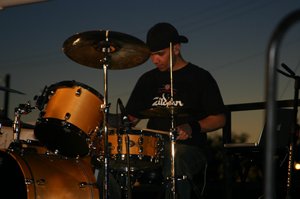
Recording drums on a budget can feel overwhelming—especially if you’re just starting out. The good news? You don’t need a million-dollar studio to get rich, clean, and punchy drum tracks. With a few smart gear choices and some tried-and-true techniques, you can start laying down serious grooves from the comfort of your own space.
- Capture professional-sounding drum tracks without breaking the bank
- Learn gear recommendations from a working drummer with real studio experience
- Discover DIY setup tips that actually work in real-world recording situations
Whether you’re demoing ideas, building a YouTube channel, or working on your first indie record, the right recording strategy can transform your drum sound. Let’s break down how to get great recordings without draining your wallet.
Table of Contents
Suggested Products to help you #win at drumming:
-
PreSonus AudioBox GO USB Audio Interface
– A compact and reliable audio interface perfect for home drum recording on a budget. -
Shure PGA52 Cardioid Dynamic Kick Drum Microphone
– A punchy, focused mic that captures low-end thump without costing a fortune. -
Microphone Isolation Shield
– Helps improve mic focus and reduce reflections, even in untreated rooms. -
Recording King Condenser Microphone
– A versatile overhead mic that captures cymbals and room ambiance with clarity. -
Overhead Boom Microphone Stand
– Affordable and stable, this stand lets you position overhead mics with precision.
Choose the Right Space
Before hitting record, you need to pick the best room in your home for drum recording. Size isn’t everything, but acoustics are. Small boxy rooms with hard surfaces will make your drums sound thin and harsh. A larger room with carpets, curtains, and soft furniture will help tame reflections.
Walk around and clap—do you hear slaps or echoes? If so, consider ways to deaden those reflections with blankets, rugs, or even a mattress leaned against the wall behind your kit. You can also check out the Drum Recording at Home: Pro-Level Tips for Studio-Quality Sound to dive deeper into room setup strategies.
Affordable Microphone Options
Microphones can make or break your recordings, but going big-name isn’t your only option. For budget setups, dynamic mics are durable and great for close-miking snare and kick. One solid option is the Shure PGA52 Cardioid Dynamic Kick Drum Microphone—it gets the low end right without breaking the bank.
For overheads, start with entry-level condenser mics. Something like the Recording King Condenser Microphone can make your cymbals sing and gives your kit a more natural stereo image. Also consider reading the Ultimate Drum Mic Setup Guide: Best Mics for Pro Sound for deeper guidance on mic selection.
Audio Interfaces for Budget Setups
You can’t record without an interface, but you also don’t need dozens of inputs unless you’re building a pro studio. For beginner drummers or DIY setups, the PreSonus AudioBox GO USB Audio Interface is a smart, compact option that gets the job done reliably with minimal setup.
Make sure the interface offers low latency and phantom power if you’re using condenser mics. You might also want to explore the Top 7 Drum Recording Interface Picks for Studio-Quality Sound for other interface comparisons.
Basic Mic Placement Techniques
Once you have your mics, start with fewer mics and learn how to place them well. The classic Glyn Johns method only uses three mics—kick, overhead, and side—while still capturing a full kit sound.
Position your overhead about three feet above the snare. Use the Overhead Boom Microphone Stand to lock in your placement securely. Avoid pointing mics directly at cymbals; instead, aim them down toward the drum heads to blend more air into the recording.
Use Acoustic Treatment
Your room sound is part of your drum sound. Acoustic treatment helps tame flutter echo and muddiness. You don’t need expensive panels to start—use thick blankets, rugs, or even hang moving blankets on walls and over hard surfaces.
Another trick: place a Microphone Isolation Shield behind your overhead or room mics to reduce reflection and bring more focus to the drum tone.
Recording Audio on Your Computer
Once your hardware is set up, you’ll need a Digital Audio Workstation (DAW) to record. There are several free or affordable DAWs like Reaper or Cakewalk that are perfect for drum tracking.
Set your interface as the input device, create separate tracks for each mic, and check input levels—aim for -12dB to -6dB when hitting your drums hard to avoid clipping. If you’re new to DAWs, you may also benefit from a guide like the How to Record Drums at Home Like a Pro (No Studio Needed).
Editing and Mixing Tips
Basic editing makes your drum tracks tighter and more polished. Start with cleaning up awkward hits, removing mic bleed sections when not needed, and aligning kick/snare hits to a grid sparingly if needed to keep it natural.
EQ each mic to cut muddiness (around 250Hz), and add slight high shelf EQ to overheads to boost brightness. A gentle compressor on the overhead bus can help glue your kit together.
Final Thoughts on Budget Recording
Getting punchy, professional drum recordings doesn’t require a huge investment—just smart buying and thoughtful setup. With solid fundamentals, even an entry-level home rig can produce tracks good enough for demos, singles, or YouTube videos.
Use gear like the right kick mic, a simple overhead stand, or a budget condenser microphone to capture your playing clearly and confidently. And remember, the most important element is still your playing—so practice hard and play with intention.
Conclusion
Recording drums on a budget is completely achievable with the right mindset and tools. From choosing your space wisely to investing in key gear like the Shure PGA52 for your kick or an isolation shield for cleaner overheads, there are plenty of ways to maximize your sound without maxing out your wallet.
Now go try out a simple two-mic or three-mic recording technique, experiment with mic placement, and explore our recommended gear to build your affordable dream setup. Want more tips? Subscribe and dive deeper into our growing library of drumming projects and tutorials.
FAQs
What is the best microphone setup for recording drums on a budget?
The best budget-friendly mic setup often uses two to three mics—typically one kick mic and one or two overhead condensers. This keeps things simple while still capturing a balanced, full-kit sound. Techniques like the Glyn Johns method can work wonders with minimal inputs.
Do I need acoustic treatment for home drum recording?
Yes, some basic acoustic treatment will dramatically improve your recordings. You don’t need pricey panels—blankets, rugs, and furniture can reduce reflections and flutter echo. Small tweaks to your space will help microphones capture cleaner, more controlled audio.
What’s the best audio interface for beginner drummers?
For those just starting out, the PreSonus AudioBox GO is an ideal interface. It’s compact, reliable, and supports both dynamic and condenser mics. More importantly, it keeps your signal chain clean without adding unnecessary complexity.
Can I use one microphone to record my drum kit?
It’s possible to use one mic, especially for simple recordings or demos. A single overhead placed carefully can capture the full kit vibe, though kick and snare might be less defined. Using two mics—a kick and overhead—usually offers better control.
How do I reduce mic bleed in drum recordings?
Mic bleed is common in drum recording, but you can reduce it by using tighter mic patterns, proper positioning, and isolation shields. Also, dampen unused drums and tune your kit well to control unwanted noise. Recording in a treated room also helps tighten the mix.
What is the difference between dynamic and condenser mics for drums?
Dynamic mics are best for close-miking louder sources like snare and kick. They handle high SPL well and are more forgiving in untreated rooms. Condenser mics are more sensitive and ideal for overheads, catching cymbals and room ambiance with clarity.
Which DAW is best for beginner drummers?
Reaper and Cakewalk are two of the most popular DAWs for beginners. They’re either low-cost or free and support multi-track recording. Their learning curves are manageable, and both have lots of tutorials online tailored to drummers.
Why does my drum recording sound muddy?
Muddiness often comes from poor mic placement, untreated acoustics, or frequency buildup in the low-mid range. Use EQ cuts around 200–400Hz on close mics and always check phase alignment between channels. Room treatment helps prevent mud from building up in the first place.